A handover is the moment a job changes hands - sales to project management when an order is won, project management to customer care when it ships. The risk is always the same: the work moves and the knowledge does not. The checklist is what stops that.
Raising one needs create_handover. Reading the register needs read_handovers.
Starting one
Pick the transfer type first: it decides which checklist you get. Each type ships with the documents that department actually needs, and the required ones are marked so an incomplete transfer is visible rather than discovered later.
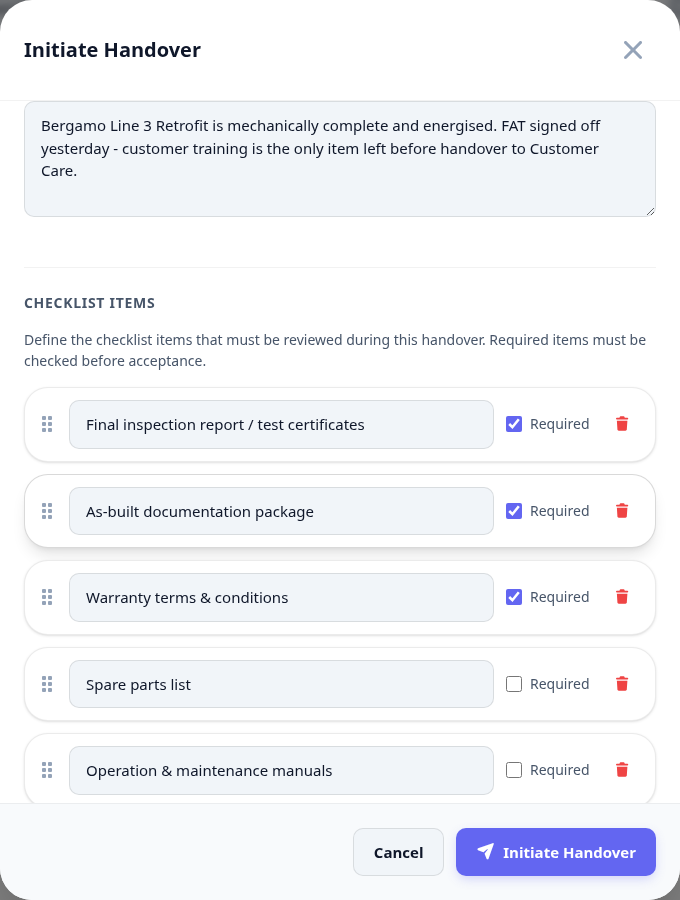
Open Handovers and initiate one.
Choose the transfer type - it loads that type's document checklist.
Pick the project the handover belongs to.
Work the checklist honestly: an unticked required item is the point of the whole thing.
Add notes for what the checklist cannot capture, then send it.
The register
Every handover in the tenant sits in one list with its type, project, who sent it, who has it, and how much of the checklist is done.
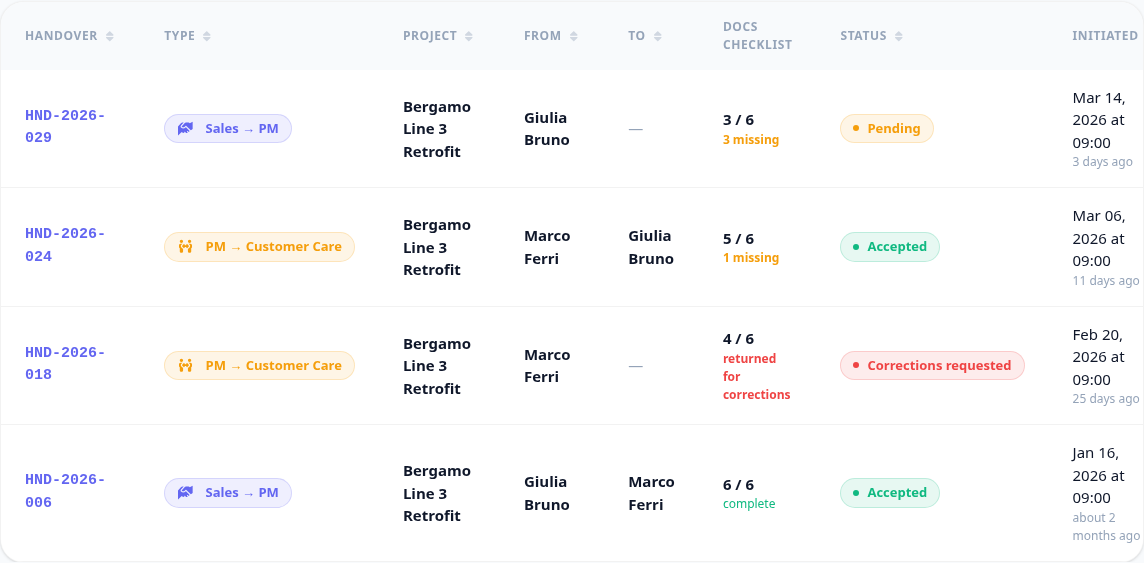
A handover nobody accepted is a job in nobody's hands. The register is the list to work through in a weekly meeting, not an archive to consult after something goes wrong.