Incoming quality control is the last point at which a supplier's problem is still a supplier's problem. Once a part is fitted, a defect becomes your rework, your delay and your non-conformity. The receipt is where that line is drawn.
Recording a receipt needs create_iqc_receipt. Reading the register needs read_iqc_receipts.
Recording a delivery
A receipt names the supplier, the project the material is for, and one line per item delivered. Lines are the unit of work: each one is inspected and dispositioned on its own, because a delivery is rarely all good or all bad.
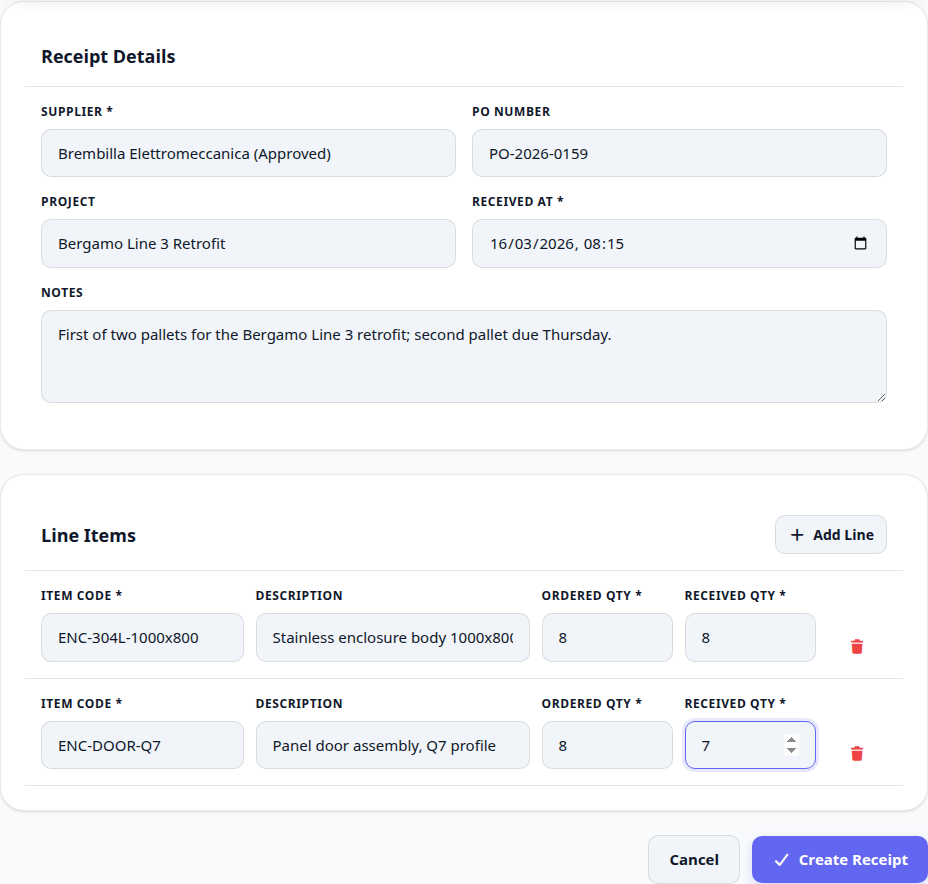
Open IQC and record a receipt as the material arrives, not at the end of the week.
Pick the supplier and the project the delivery belongs to.
Add a line per item code, with the quantity ordered and the quantity actually received.
Save. The receipt sits at Pending until somebody inspects it.
The register
Every receipt is in one list with its status, so what is waiting on inspection is visible rather than remembered.
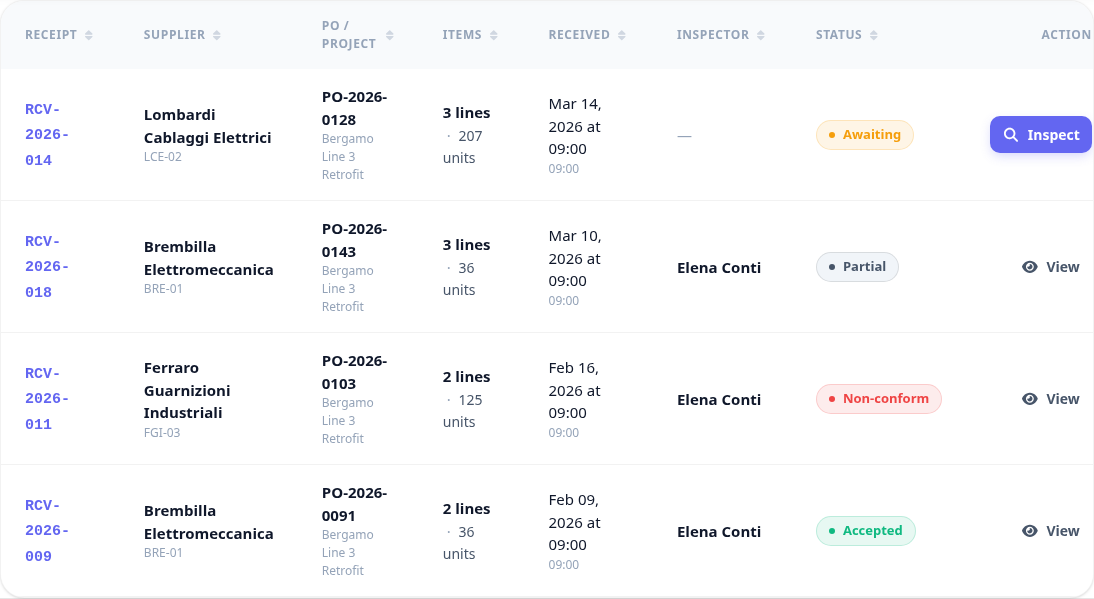
Recording a receipt is not inspecting it. Material logged and never inspected is worse than material never logged, because the record implies a check that did not happen.