A project here is a job: a customer, a scope, a manager and a period. It is also the spine the rest of the system hangs from - non-conformities, handovers, incoming inspections and budget all point back at one, which is what makes "what happened on the Bergamo line?" a question with an answer.
Opening one needs create_projects. Reading the directory needs read_projects, and the budget figures need read_project_budget.
Opening one
The customer name is the identity: it is what people search for and what every linked record shows. Normiq mints the project number itself - you will rarely type it and never need to invent it.
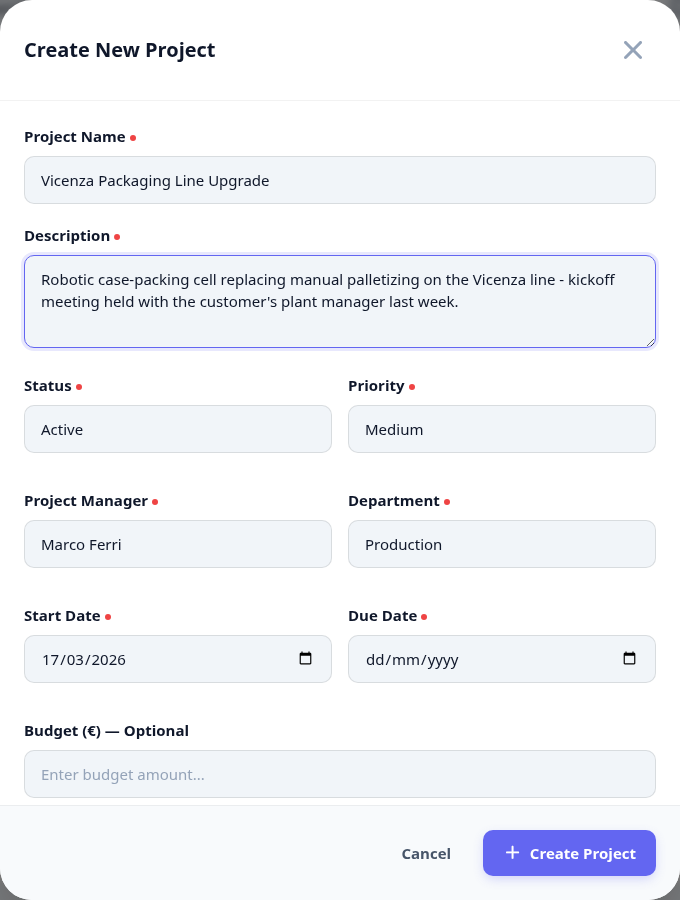
Open Projects and create one.
Give it the customer name people will actually use.
Set the manager and the department that owns delivery.
Set the period and the priority - both are what the directory sorts and filters on.
The directory
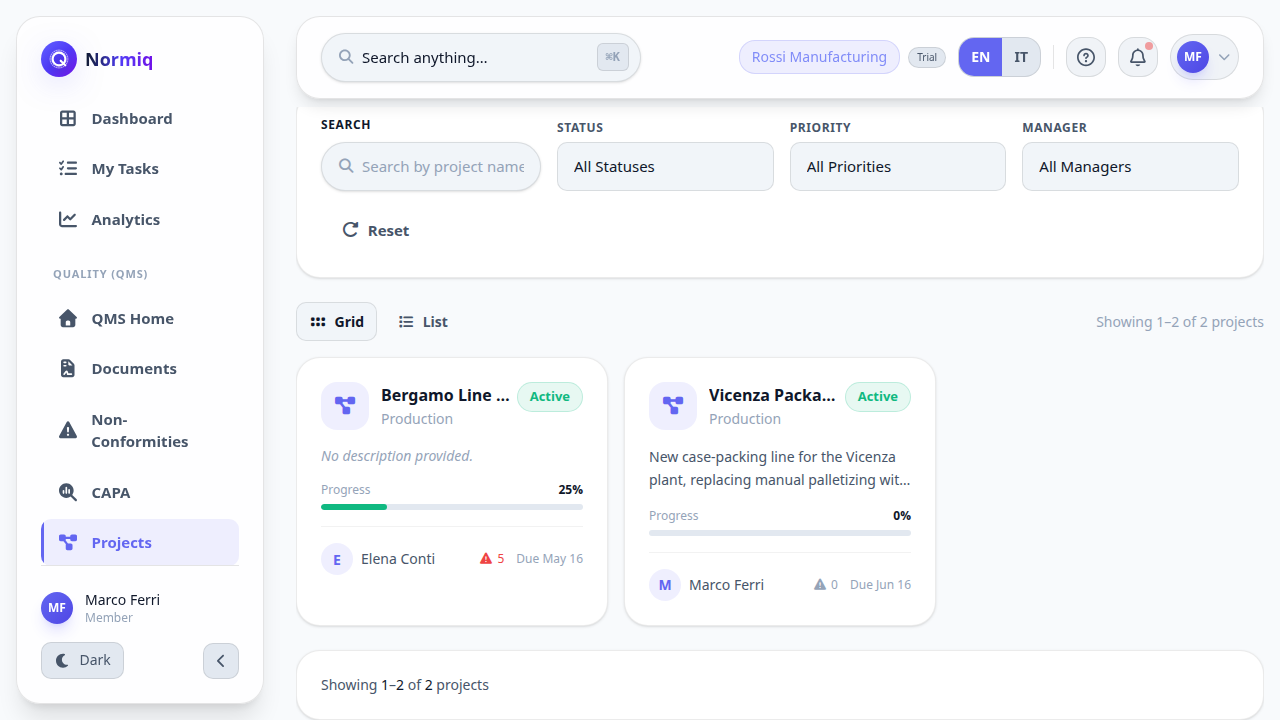
Every project in one place, with its status, priority and manager. On hold is a state, not a deletion: a paused job keeps its history and its links.
Next: run a project - the team, the budget, and everything the rest of the system hangs off it.