Clause 4.2 asks who your interested parties are and what they need from you. In Normiq they are not a separate register: they hang off the factors they affect, so a need is always attached to something concrete you are already tracking.
The stakeholder list belongs to the whole organisation, not to one year. Editing it needs manage_context_picklists.
Adding an interested party
The list starts with the obvious ones - customers, employees, suppliers, regulators - and grows as your factors need them. Add one once and every year's analysis can use it.
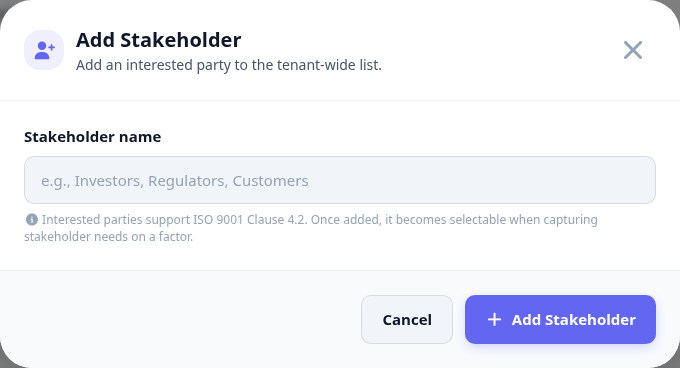
Open the Stakeholders tab of the analysis.
Add the interested party if it is not on the list yet.
On the factor it relates to, record what that party needs from you.
Keep the need in their words, not yours - that is what makes it checkable.
Keeping the lists clean
Stakeholders and factor categories are both picklists shared across years. The picklists dialog is where they are maintained, and it is worth a pass before each new analysis rather than during it.
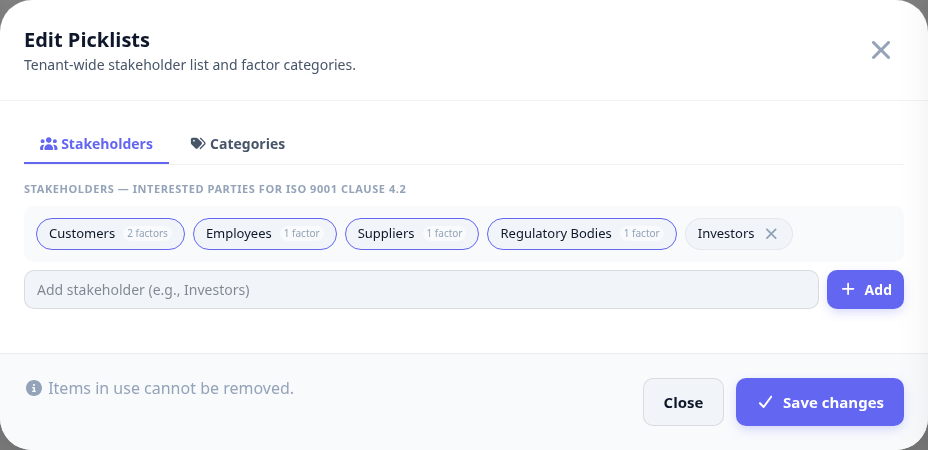
Three spellings of the same customer make a report that cannot be totalled. Fix the list, not the individual factors.