A controlled document is one the quality system stands behind: it carries a code, a release, and the signatures of the people who checked it. Everything else is just a file. This is how one gets made.
Creating one needs create_documents. Sending it onward needs submit_documents. Reading what is already published needs only read_published_documents.
Starting one
The type and the ISO clause you pick decide the document code, and the code is minted when the first version is saved. Choose them deliberately - they are not cosmetic labels, they are how the document is found for the rest of its life.
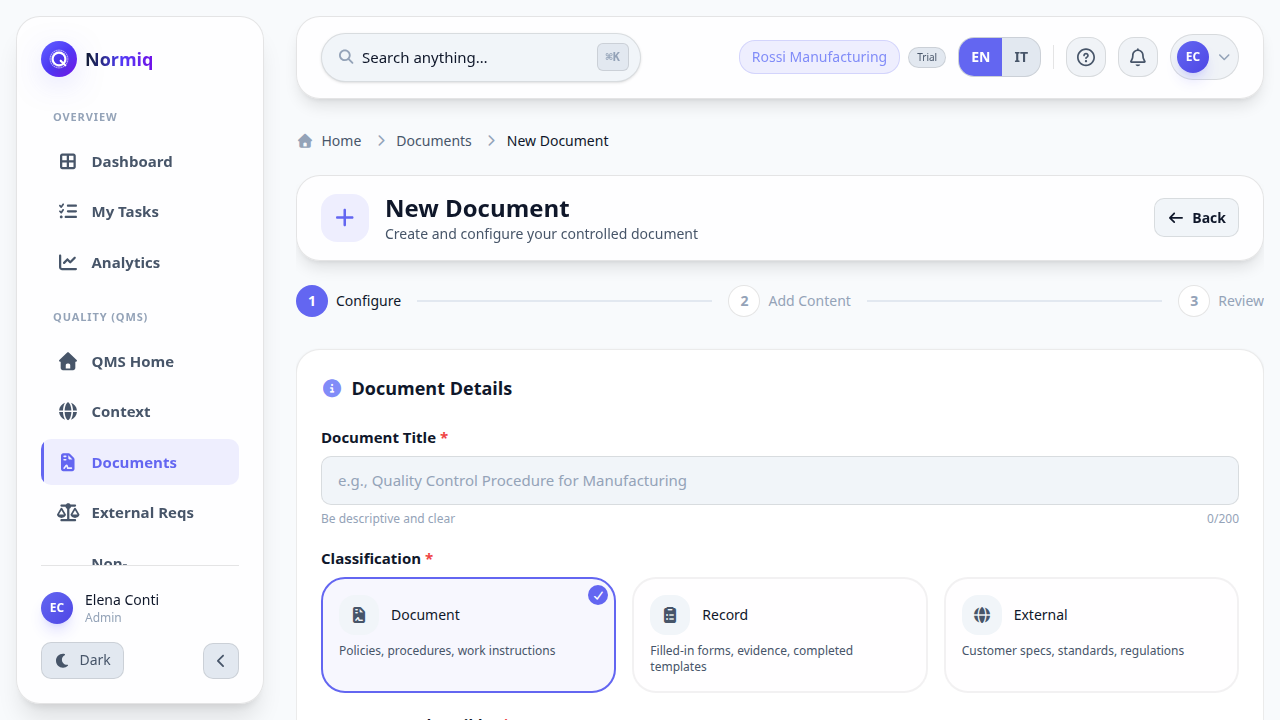
Open Documents and click New document.
Give it a title that names what it governs, not what it is about.
Pick the type and the ISO clause it answers to.
Save. The document is now a draft.
Writing it
The editor holds the body of the document. A draft is editable in place and saves as you work; nobody outside the people who can see drafts is reading it yet.
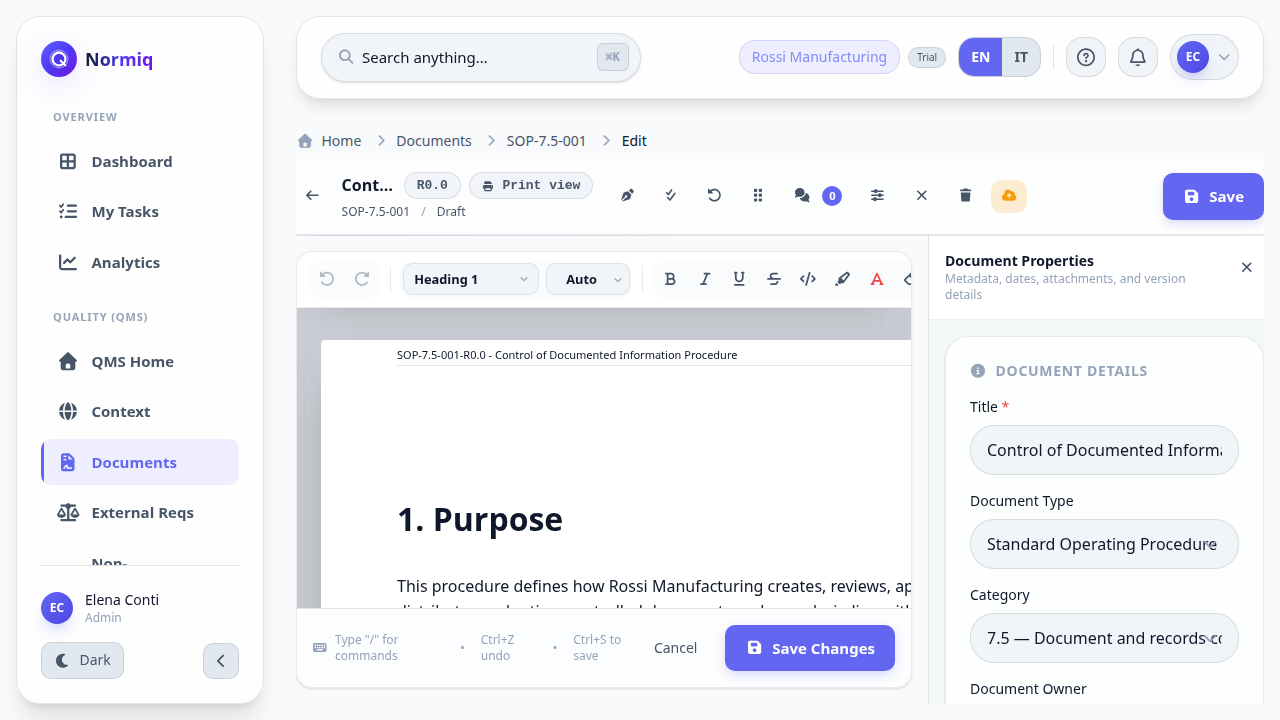
Write for the person doing the job, not for the auditor. A procedure nobody can follow passes an audit exactly once.
Sending it for approval
Submitting hands the document to the approval chain: authoring, then verification, then approval. Each step is signed by a person and recorded, and the same person may not sign two of them.
Submit for Verification moves the document out of draft and opens the three steps.
Each step is assigned to someone before they can sign it.
A rejection at any step sends the document back to draft with the reason attached.
Next: review and approve a document covers the signing side, from the approver's chair.