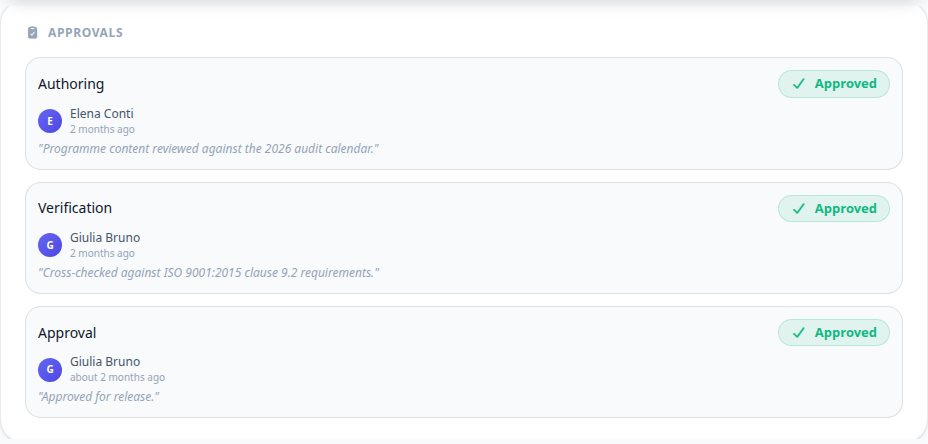
A submitted document waits on three signatures: authoring, verification and approval, in that order. They are separate on purpose - the person who wrote a procedure is not the person who confirms it is right, and neither of them is the one who authorises its release.
Assigning a step needs assign_document_approvers. Sending a document back needs reject_documents. Releasing it needs publish_documents.
Assigning the steps
A step nobody owns is a document that stops moving. Assign each one to a named person; they are notified and it appears in their tasks.
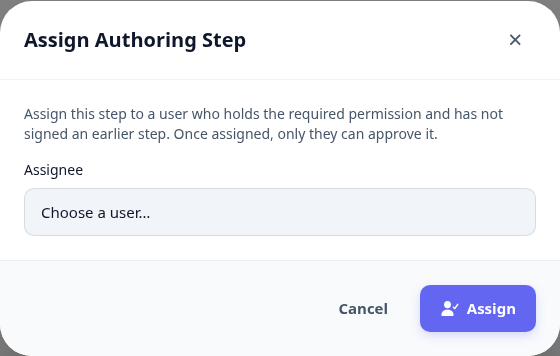
Open the document and find the approvals panel.
Assign the step that is waiting.
Read the version that is actually up for signature, not the one you remember.
Approve it, or reject it with a reason someone can act on.
What a signature means
Each signature is stored with who signed it, when, and whatever comment they left. It stays attached to that version forever - this is the evidence an audit asks for.
Rejecting is not a failure, it is the control working. The document returns to draft with your reason on it, and the author fixes it and resubmits.
Publishing the release
Once all three steps are signed, the document can be published as a release.
A published release is read-only: correcting it means creating the next version.
Readers with document access see the published release; drafts stay hidden from them.
Next: revise a published document.