The register is the single list of every controlled document: what exists, which release is current, who owns it and when it is next due for review. It is the first screen most audits open.
Reading the register needs read_published_documents - the same permission as reading a published document.
Working the register
Every column sorts, and the filters narrow by status, type and review state. The search box matches the title, the code and the legacy code, so a document filed under an old numbering scheme is still findable by the number people still say out loud.
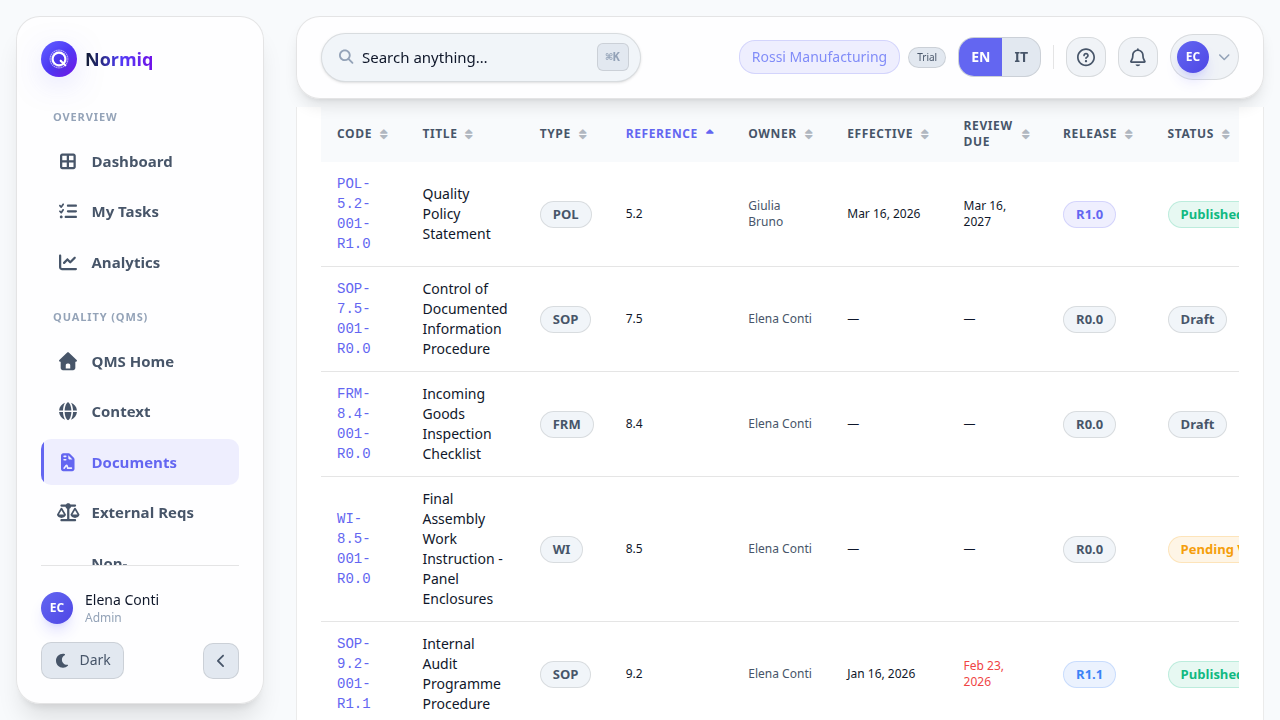
Export CSV gives you the same list outside the app, for a meeting or an audit pack.
The clause column is what an ISO auditor navigates by - it maps each document to what it answers.
Documents still in draft do not appear to readers; the register is what is in force.
The print view
The print view is the document as a document: cover details, the body, and the signatures that released it. It is what you hand over when someone asks for a copy.
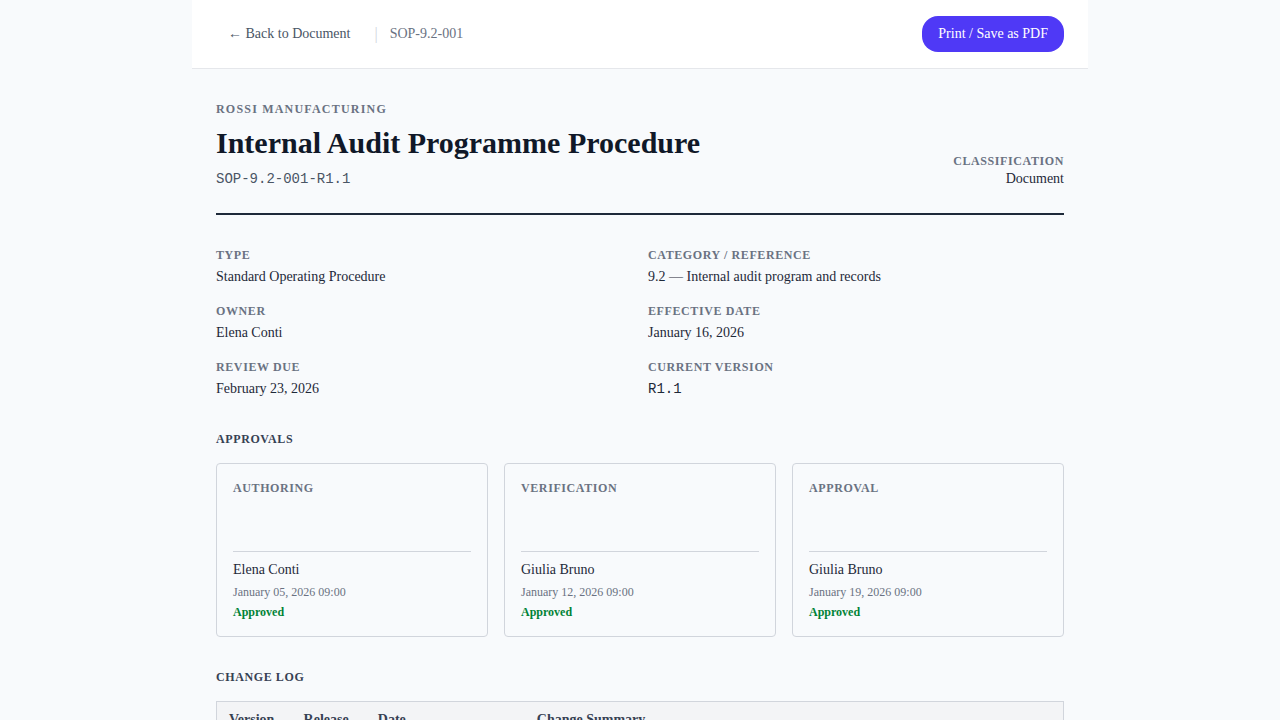
Print the release, not your screen. The print view carries the code and the release on every page, which is what makes a printed copy traceable back to this record.