Registering a supplier
Open Suppliers and click New supplier.
Record the legal name, the category of goods or services, and the contact you deal with.
Attach the qualification evidence: certifications, questionnaires, approved sample reports.
Set the qualification status. Only a qualified supplier should be receiving orders.
If you are onboarding many suppliers at once, the import accepts a spreadsheet and reports every row it could not read, rather than stopping at the first one.
Keeping the evaluation current
A supplier's score is not a one-off judgement. Incoming inspection results and any non-conformity raised against a delivery feed into it, so the scorecard reflects what the supplier has actually been delivering.
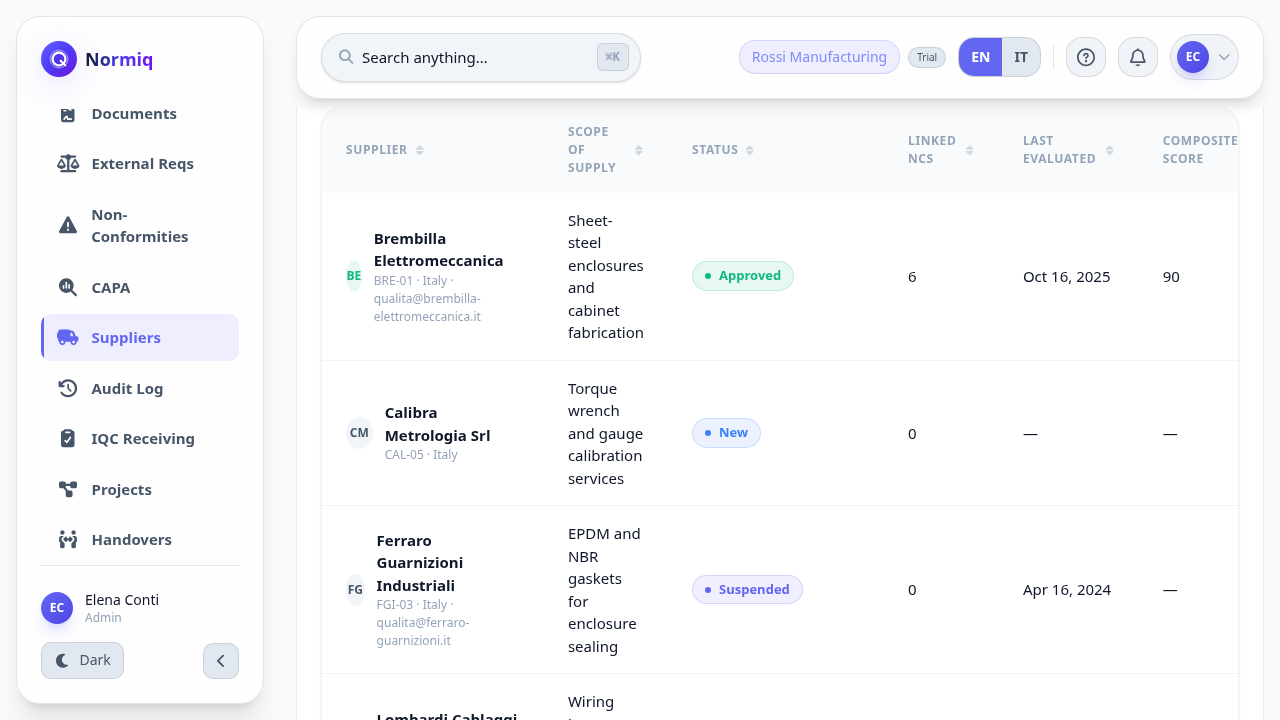
Re-evaluate on a fixed cycle even for suppliers with no incidents. An evaluation that only happens after something goes wrong is not an evaluation.
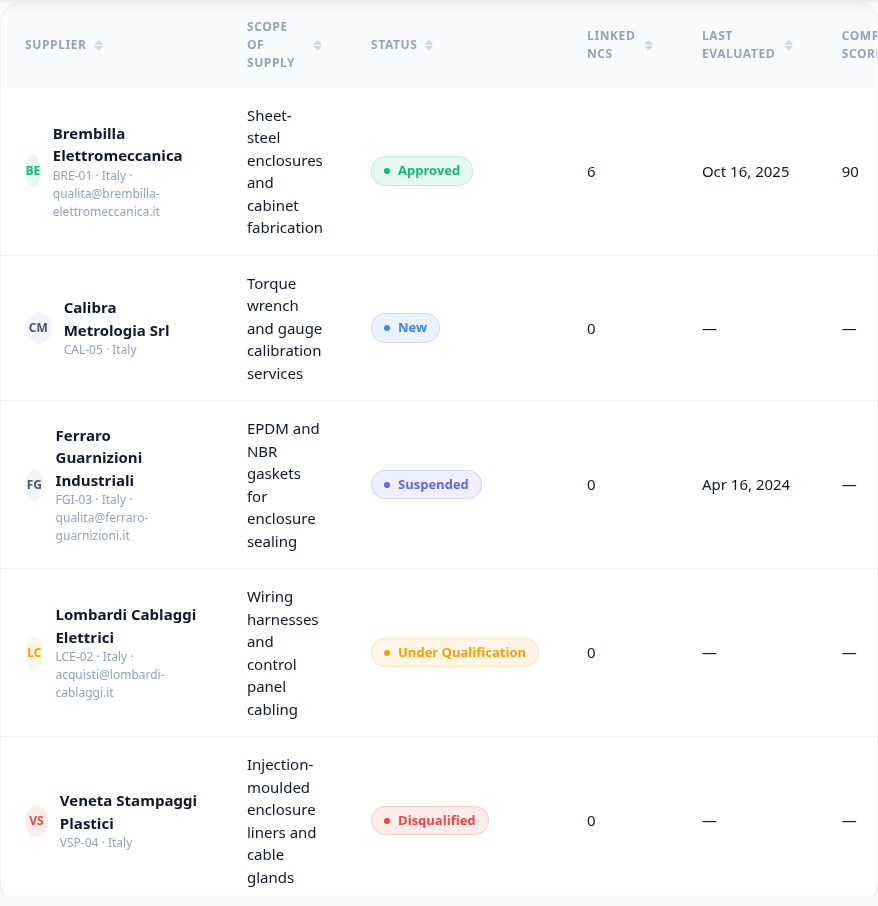
The five states
A supplier is always in exactly one state, and the state is what tells a buyer whether they may place an order at all.
Next: qualify a supplier.