Suspension is a pause: something is wrong, buying stops until it is resolved. Disqualification is a decision that it will not be. Both are state changes with a reason attached, and the reason is the part that matters six months later.
Changing a supplier's state needs manage_supplier_evaluations.
Suspending
Say what happened, in the words someone outside quality would use. An effective date makes clear whether deliveries already in transit are covered.
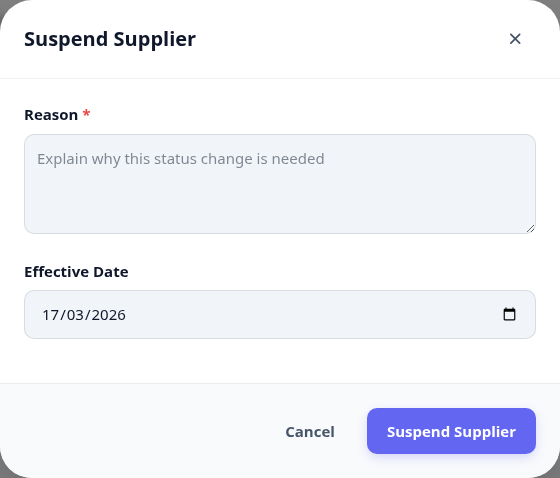
Suspend when the problem is fixable and you intend to buy again.
Disqualify when it is not - and expect that decision to be questioned, so write it accordingly.
Either way, tell purchasing. The register stops them, but only if they look.
The state history
Every state change is kept with who made it, when, and why. This is the answer to "why did we stop buying from them?" long after everyone involved has moved on.
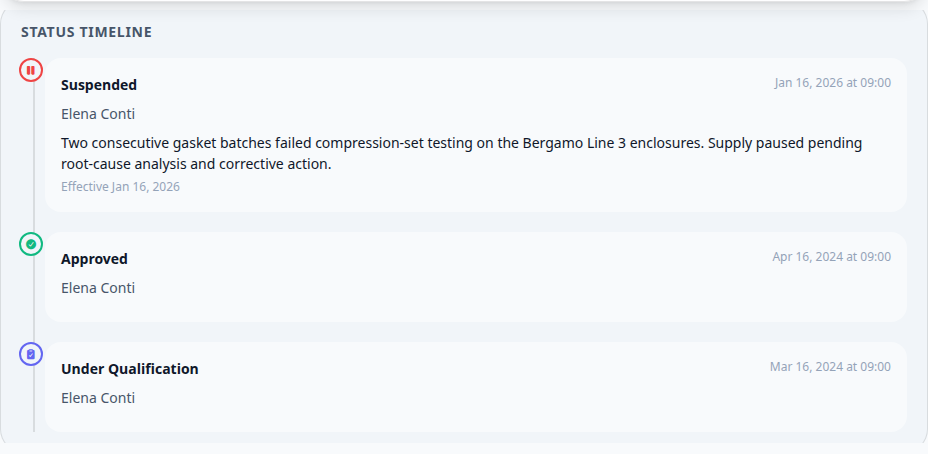
A supplier suspended and never revisited is the same as a disqualified one, except nobody decided it. Re-evaluate or disqualify - do not leave it suspended for a year.