An external requirement is a rule you did not write and cannot change: ISO 9001 itself, the Machinery Directive, a customer's supplier quality manual. Clause 7.5 expects you to know which ones apply, which edition, and where they are answered in your own documents.
Reading the register needs read_external_requirements. Adding one needs create_external_requirements.
Registering one
The edition matters as much as the title. "EN 60204-1" is not a requirement until you say which edition you are held to - that is what makes a superseded version detectable later.
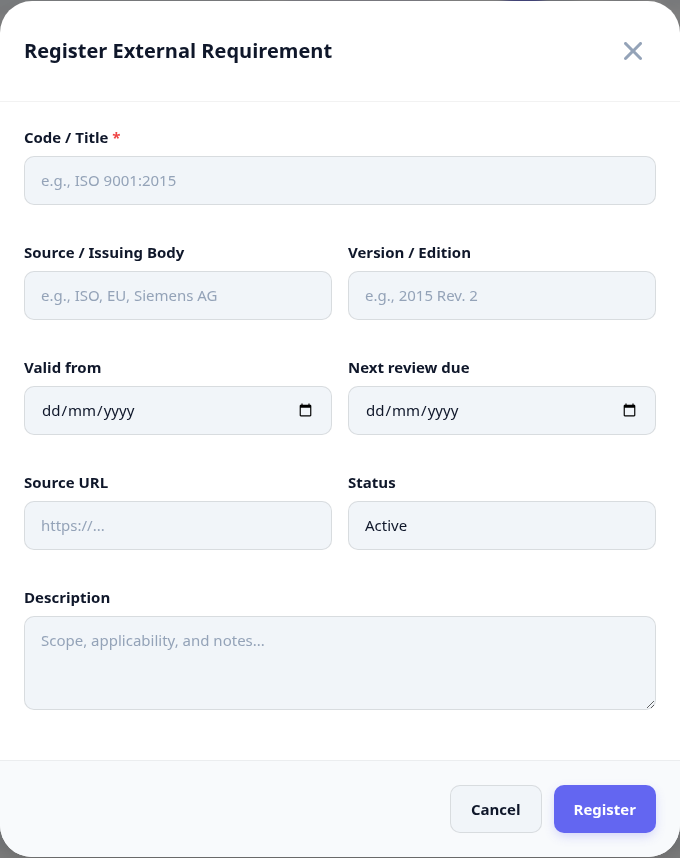
Open External Requirements and register a requirement.
Give it the code and title as the issuing body writes them, not an internal nickname.
Record the issuing body and the edition or version.
Set the validity dates and the owner - the person who answers for it here.
Set the next review date. A requirement with no review date is one nobody will revisit.
What the register tells you
The list is the working view: status, when each requirement was last confirmed and how many of your documents answer it. The counters across the top are the ones worth watching.
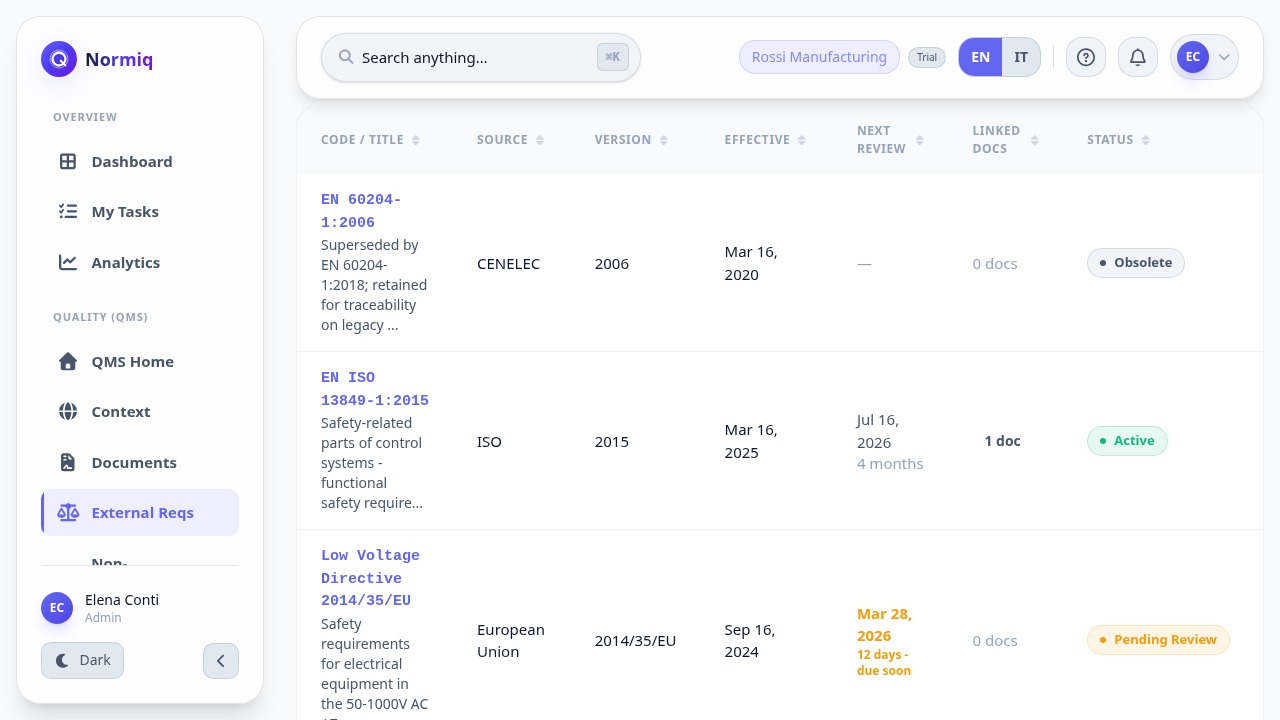
Active is what applies today; obsolete is kept for traceability, not deleted.
Pending review means the requirement changed or is being checked - it is not a filing state.
A requirement linked to no documents is either new or unanswered.