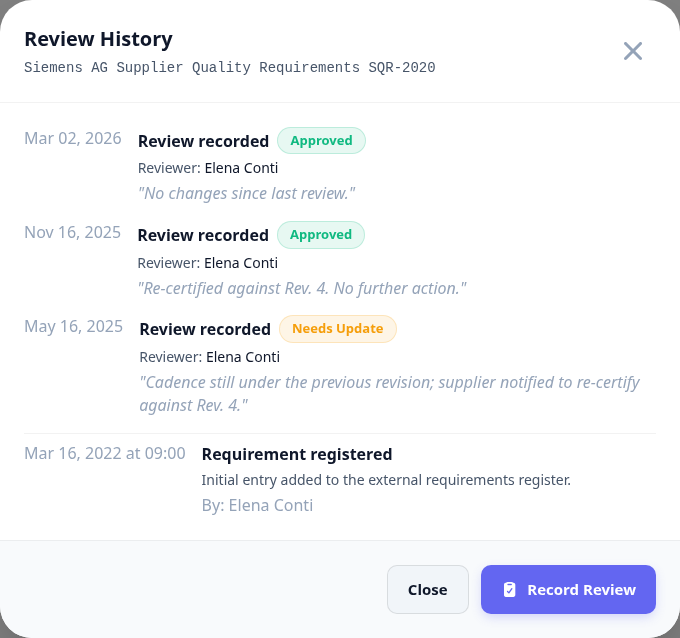
Standards get revised, directives get amended, customers reissue their supplier manuals. A review is the periodic check that what you are held to has not moved underneath you - and the record that somebody actually looked.
Recording a review needs update_external_requirements. Every review sets the next due date six months out.
Recording a review
The review asks for two things: what you found, and what you decided. The findings are for the next reader; the decision is what moves the requirement's status.
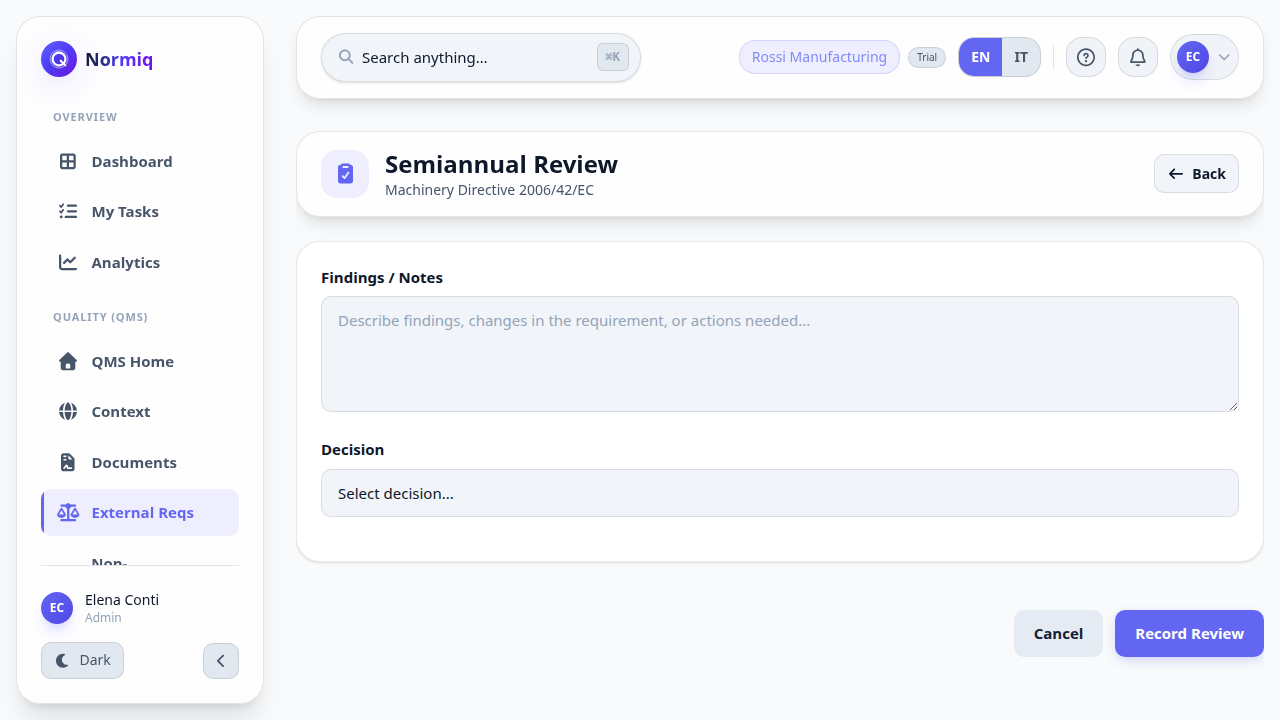
Open the requirement that is due and start its review.
Check the source - the URL on the requirement is there for exactly this.
Write what you found, even when the answer is nothing.
Choose the decision: approved, needs update, or obsolete.
Save. The next review is scheduled automatically.
Needs update is not a decision you can leave sitting. It says the requirement moved and your documents have not caught up yet.
The review trail
Every review is kept, oldest to newest, with who did it and what they wrote. This is the evidence that the register is maintained rather than merely populated.