Knowing a standard applies to you is half the job. The other half is being able to point at the procedure that answers it - which is the question an auditor asks about every requirement in the register.
Linking is part of editing a requirement, so it needs update_external_requirements.
Where the links live
A requirement's detail shows everything about it in one place, including the controlled documents linked to it. A link is a claim: this document is how we satisfy that requirement.
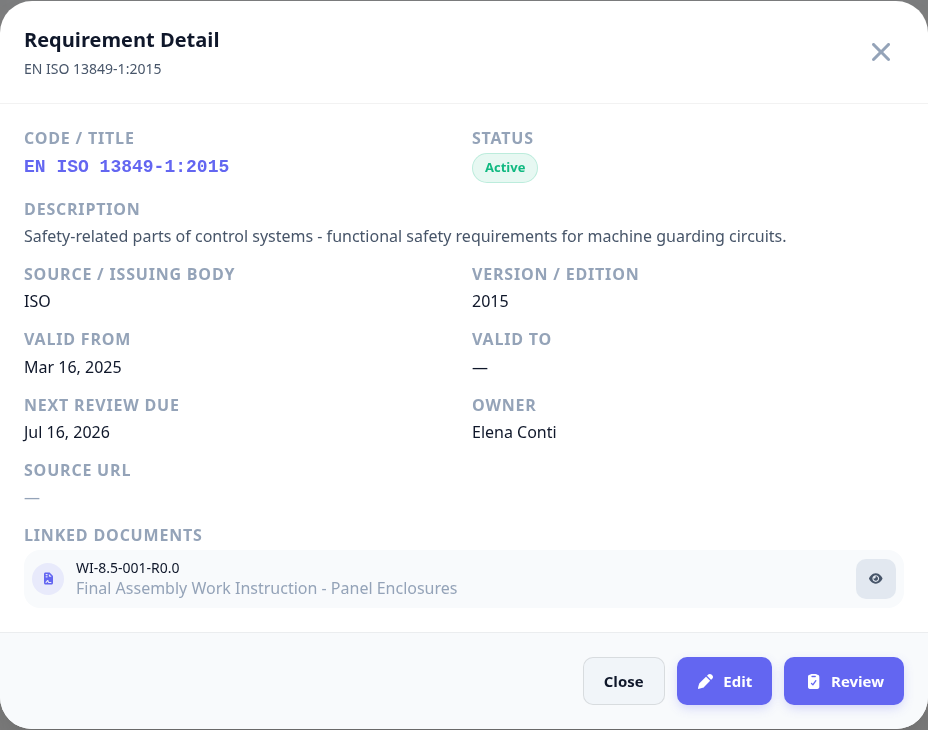
One requirement can be answered by several documents, and one document can answer several requirements.
The count in the register's linked column is the fastest way to spot a requirement nobody has answered.
Reviewing a requirement is the moment to check its links still hold - a revised standard often outdates them.
A link to a withdrawn document is worse than no link. It reads as coverage right up until someone opens it.
Next: export the register.