Triage is the step between a report and any work on it. Someone in quality reads what was raised, decides whether it is really a non-conformity and how serious it is, and hands it to the person who can resolve it. Until that happens the NC sits in the inbox with no assignee.
You need read_nc_inbox to see the inbox and triage_nc to triage. Assigning it needs assign_nc_assignee.
Working the inbox
The inbox holds every NC still at status New - reports nobody has looked at yet. It is a queue, not an archive: a row leaves it the moment you triage it.
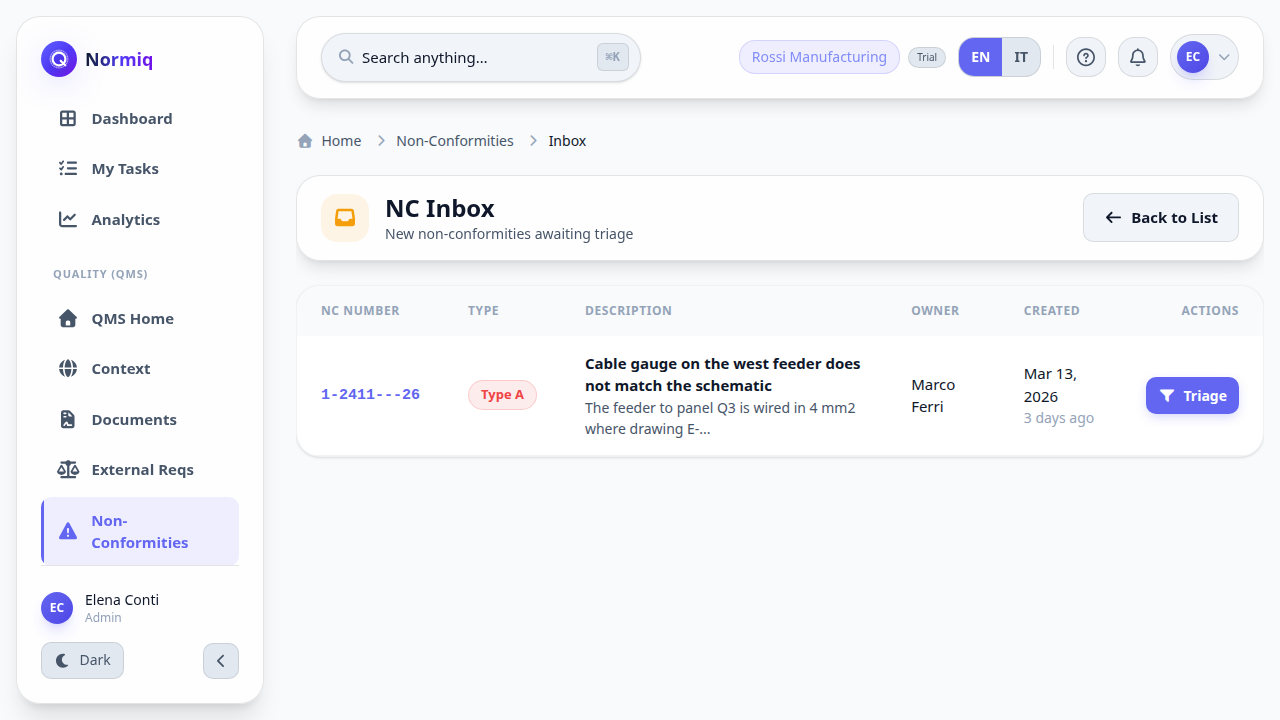
Open Non-Conformities and go to the inbox.
Read the description and open the attachments before deciding anything.
Click Triage on the row.
Confirm the classification the owner chose, or correct it.
Set the priority, then pick the assignee.
Triaging one
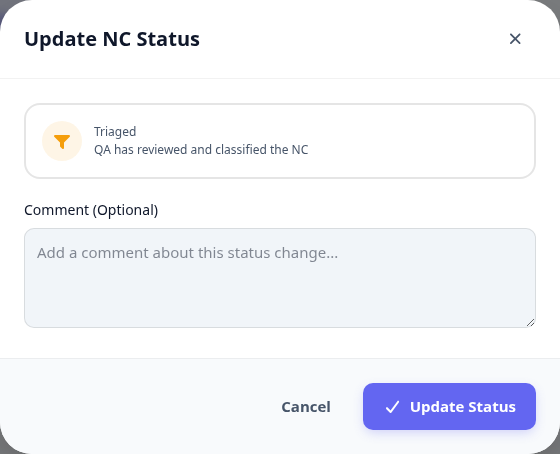
Triage is a status change with a comment, and both are kept. The comment is where you say why you classified it the way you did - the next person to read this NC is often an auditor.
Priority is not severity. A cosmetic defect on a panel due to ship tomorrow outranks a structural one on a job that starts next quarter.
What happens next
The assignee is notified and the NC moves to their queue.
The NC leaves the inbox and appears on the main list at status Triaged.
Time to resolve is measured from when the report was created, not from triage - a report left sitting in the inbox is already costing you.
Next: record a treatment, or attach evidence if what you need is a photo rather than a decision.